Why Your Old Game Console Stopped Working
There’s a moment almost every retro game console owner eventually has.
You pull an old system off the shelf — maybe one you’ve had since childhood, maybe one that’s been carefully stored for years — plug it in, flip the switch… and nothing happens. Or worse, it powers on, but the picture is garbled, the sound crackles, or it shuts itself off after a few minutes. The usual reaction is confusion: It worked last time. I barely used it. It’s been sitting safely in a box!
This post is about why that happens.
Vintage game consoles don’t fail because they were poorly made, and they don’t need to be abused to break down. Most failures are the slow, quiet result of time. Materials age. Chemicals dry out. Heat cycles stress joints. Even sitting untouched, components continue to change. Understanding what’s happening inside these systems — and why proactive maintenance matters — can mean the difference between a simple repair and permanent damage.
Aging Electronic Components
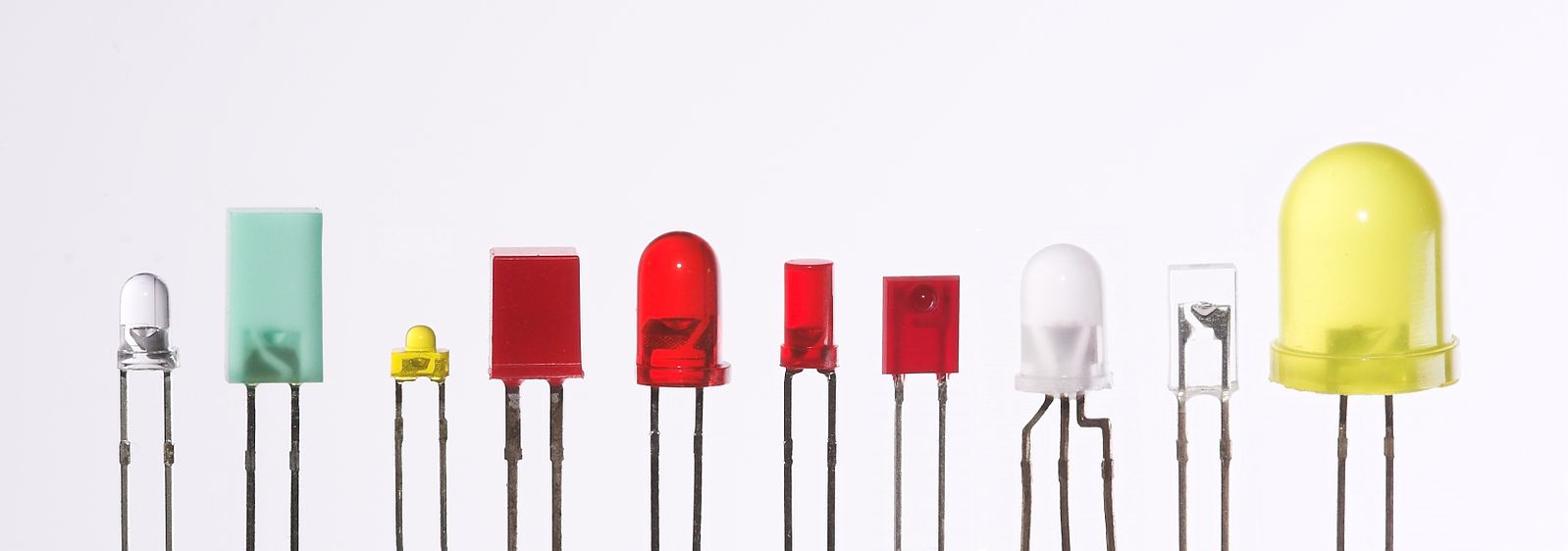
When people imagine electronics failing, they usually picture something dramatic: sparks, smoke, a loud pop. In reality, most vintage console failures are far less exciting — and far more inevitable, though LEDs and capacitors can make a loud _pop_ when under heavy load!
Electronic components age. Not metaphorically, literally. Materials dry out, chemicals change state, metals fatigue, and the tolerances that once made everything stable slowly drift out of spec. This happens whether the console is powered on every day or sitting quietly on a shelf.
Here are some of the most common culprits.
Capacitors: The Biggest Aging Problem
If there’s one component responsible for more retro console failures than anything else, it’s the electrolytic capacitor.
Electrolytic capacitors contain a liquid electrolyte. That liquid is essential to how the capacitor works — and it’s also the reason they don’t last forever. Over time, the electrolyte slowly dries out or leaks. As that happens, the capacitor stops doing its job properly. Power becomes unstable. Video gets noisy. Audio crackles. Eventually, things just stop working.
Sometimes the failure is subtle. Other times it’s obvious.
Common signs of failing capacitors include:
-
Bulging or domed tops
-
Crusty residue or wet-looking spots on the board
-
A sharp, fishy, or metallic smell
-
Green or black corrosion around nearby traces
The real danger isn’t just that a capacitor stops working — it’s what happens when it leaks. Electrolyte is corrosive. Left unchecked, it can eat away at copper traces and permanently damage the board. At that point, a simple recap turns into board repair.
This is why proactive replacement matters. Swapping aging capacitors before they leak is often straightforward. Fixing damage after the fact is not.
 Leaking Capacitor
|
Swelling Capacitor |

Batteries: Small Parts, Big Damage
Batteries are another quiet problem — especially the ones we forget are there.
Some consoles and accessories use batteries for clocks, memory, or game save states. Others rely on standard alkaline batteries in controllers or peripherals. Either way, batteries are chemical devices, and chemistry doesn’t stop just because the power switch is off.
When batteries fail, they often leak corrosive material. That leakage spreads quickly, creeping along traces and into vias, causing damage far beyond the battery holder itself.

Rechargeable coin cells deserve special mention here. Many older systems assumed regular use and designed circuits around batteries that would be topped off over time. Decades later, those same batteries may be exhausted, leaking, or failing in ways the designers never anticipated.
If a battery is original, it’s living on borrowed time.
Removing old batteries early — even if the console “still works” — can prevent some of the most destructive damage we see in vintage hardware.
Thermal Paste: From Paste to Chalk
Thermal paste is one of those things people assume lasts forever. It doesn’t.
Its job is to fill microscopic gaps between a chip and its heatsink, allowing heat to transfer efficiently. Over years and decades, thermal paste dries out. It hardens. It cracks. In many older consoles, it no longer behaves like a paste at all — it crumbles like chalk.
When that happens, heat builds up where it shouldn’t. Chips run hotter. Systems become unstable. Lockups, crashes, and shortened component lifespan follow.
Replacing thermal paste isn’t flashy, but it’s one of the simplest ways to improve reliability — especially on later-generation consoles where heat output is higher.
Solder Joints and Connectors: Metal Gets Tired Too
Solder looks solid and permanent, but it’s not immune to time.
Every time a console powers on and heats up, materials expand. When it cools down, they contract. Over thousands of cycles, that movement stresses solder joints — especially around large or frequently used components.
Common problem areas include:
-
Power jacks
-
Controller ports
-
Cartridge slots
-
Video connectors
As joints fatigue, tiny cracks can form. The result is often an infuriating, intermittent problem: a console that works sometimes, or only when a cable is held at just the right angle.
This is especially true for power input components. Power jacks take more abuse than almost any other part of a console. Every power cycle creates thermal stress, but there’s also constant physical strain — cords being plugged and unplugged, tugged, twisted, or bumped over the years. All of that force is transferred directly to the solder joints on the board.
Over time, those joints can crack or separate just enough to cause intermittent power issues, random shutoffs, or a console that only works when the cord is held at a certain angle.

Reflowing or reinforcing these joints with additional solder is often all it takes — but the issue rarely fixes itself
Optical Drives and Failing Laser Diodes
For consoles that rely on optical mediums, like CDs or DVDs, the optical drive is often the first major component to fail — and it’s rarely sudden.
Laser diodes are consumable parts. Every time a disc is read, the laser emits light to scan data off the surface. Over years of use, that diode slowly loses output power. Eventually, it reaches a point where it can no longer reliably read discs, even though everything else in the console is working fine.
Common symptoms include:
-
Longer load times
-
Frequent “disc read error” messages
-
Games that only load after multiple attempts
-
Drives that read audio CDs but struggle with game discs
Unlike capacitors or solder joints, laser failure often isn’t visible. The drive may sound normal, spin correctly, and even attempt to read — it just can’t get a clean signal anymore.
Mechanical wear also plays a role. Rails dry out, motors weaken, and alignment drifts. These issues compound laser degradation, making optical drive failures feel inconsistent and hard to diagnose.
In many cases, replacing or adjusting the laser can restore functionality. In others, drive replacement or alternative loading methods become the more practical long-term solution. Either way, optical drives are a reminder that moving parts and light-emitting components have finite lifespans — even when treated gently.
Plastic Deterioration
Not all console failures are electronic. Some of the most frustrating problems come from plastic simply wearing out in ways that aren’t obvious until something breaks.
Plastics used in vintage consoles were never designed to last for decades. Over time, the chemical compounds that give plastic its flexibility and strength slowly break down. Exposure to heat, oxygen, and ultraviolet light accelerates the process — even when a console is just sitting in a room, untouched.
One of the most common results is brittleness. Plastic that was once slightly flexible becomes rigid and fragile. Parts that used to bend a little now snap without warning. This is why a console can feel perfectly fine on the outside, yet break internally during a routine disassembly.

Yellowing is another visible sign of aging. UV exposure triggers chemical changes in certain plastics, especially lighter-colored housings. While yellowing is often cosmetic, it’s also a clue that the material itself has changed. In many cases, yellowed plastic is weaker than it used to be.
As plastic ages, it also becomes more prone to stress fractures. These aren’t always obvious cracks — sometimes they start as tiny fractures around screw posts or thin edges and slowly spread. Eventually, parts fail under normal handling.
Common problem areas include:
-
Cartridge slots, where repeated insertion and removal cause fatigue
-
Controller shells, especially around screw posts and seams
-
Tabs and clips, which often snap during disassembly even when handled carefully
Once plastic reaches this stage, there’s no easy repair. Cracked tabs don’t heal, and brittle parts don’t regain flexibility. This is why careful handling — and avoiding unnecessary disassembly — becomes more important as hardware ages.
Rust and Corrosion (Especially RF Shields)
Rust isn’t something most people associate with electronics, but it’s far more common inside old consoles than you might expect.
Many vintage systems use thin steel RF shields to reduce interference and meet regulatory requirements. These shields are often bare or lightly coated steel, and over time they’re vulnerable to moisture in the air. Even in climate-controlled environments, small amounts of humidity can slowly do their work.
The result is rust that forms quietly, out of sight.
In mild cases, rust is mostly cosmetic. In worse cases, it flakes. Those flakes don’t always stay put — they can fall onto the circuit board below, creating conductive debris or trapping moisture where it doesn’t belong.
Rust can also appear on screws, springs, shielding clips, and other metal hardware. While these parts may not be electrically critical, corrosion can make future disassembly difficult and increase the risk of breaking surrounding plastic during repairs.
Another common issue is galvanic corrosion, where different metals interact over time in the presence of moisture. This can accelerate deterioration in unexpected places, especially around fasteners and grounding points.
Rust is a reminder that age-related damage isn’t always about power or heat. Sometimes it’s simply exposure to the environment, slowly doing what it does best. Catching corrosion early — before it spreads or sheds debris — can prevent a small issue from turning into a much bigger one.
Why Being Proactive Matters
Most vintage console failures don’t announce themselves ahead of time. There’s rarely a warning light or a countdown. Things tend to work… right up until they don’t.
The difference between proactive maintenance and emergency repair is often the difference between a simple fix and permanent damage. Replacing aging capacitors before they leak is far easier than repairing corroded traces. Swapping dried thermal paste takes minutes; replacing a heat-damaged chip may not even be possible. Removing an old battery early can prevent corrosion that spreads far beyond the battery holder itself.
Once damage crosses a certain line, options narrow quickly. Some components are no longer manufactured. Some boards can’t be repaired cleanly. In those cases, a console doesn’t just stop working — it loses a piece of its originality.
Being proactive isn’t about overhauling every system the moment you get it. It’s about addressing known age-related risks before they cascade. The goal is stability, not perfection.
There’s also a practical side to this. Proactive maintenance is usually predictable and affordable. Emergency repairs are not. They take more time, require more skill, and often cost more — if they’re possible at all.
Vintage consoles have already outlived their expected lifespan. With a little preventative care, many of them can keep going for years to come. Waiting until something fails often means fixing more than you ever intended to.
Where to Start
If all of this sounds like a lot, it’s worth saying this upfront: you don’t have to do everything at once.
The goal isn’t to completely rebuild a console on day one. It’s to address the most common age-related risks first — the things most likely to cause damage if left alone.
A good starting point is simply inspection. Open the console and take a careful look. You don’t need specialized tools to spot obvious problems, often just a screw driver. Look for leaking or bulging capacitors, corrosion around batteries, rust on metal shielding, or connectors that feel loose or unstable.
From there, focus on the highest-impact items:
-
Capacitors
If a console still has its original electrolytic capacitors, they’re the top priority. Replacing them before they leak can prevent serious board damage later.
-
Batteries
Remove any old batteries immediately, even if the system appears to work fine. Batteries cause some of the most aggressive and fast-spreading damage when they fail.
-
Thermal paste
On consoles that use heatsinks, replacing dried thermal paste is a simple step that can dramatically improve stability and reduce long-term stress.
-
Power and connector solder joints
Inspect power inputs, controller ports, and video connectors for cracked or stressed solder joints. These are common failure points and often easy to correct early.
-
Cleaning and airflow
Dust and debris trap heat and moisture. A careful cleaning helps everything else work better and last longer.
You don’t need to tackle every console the same way, and you don’t need to rush. Start with the systems you care about most, learn as you go, and focus on preventing damage before it happens.
Vintage consoles have already proven they’re resilient. A little proactive care goes a long way toward keeping them playable — not just today, but for years to come.